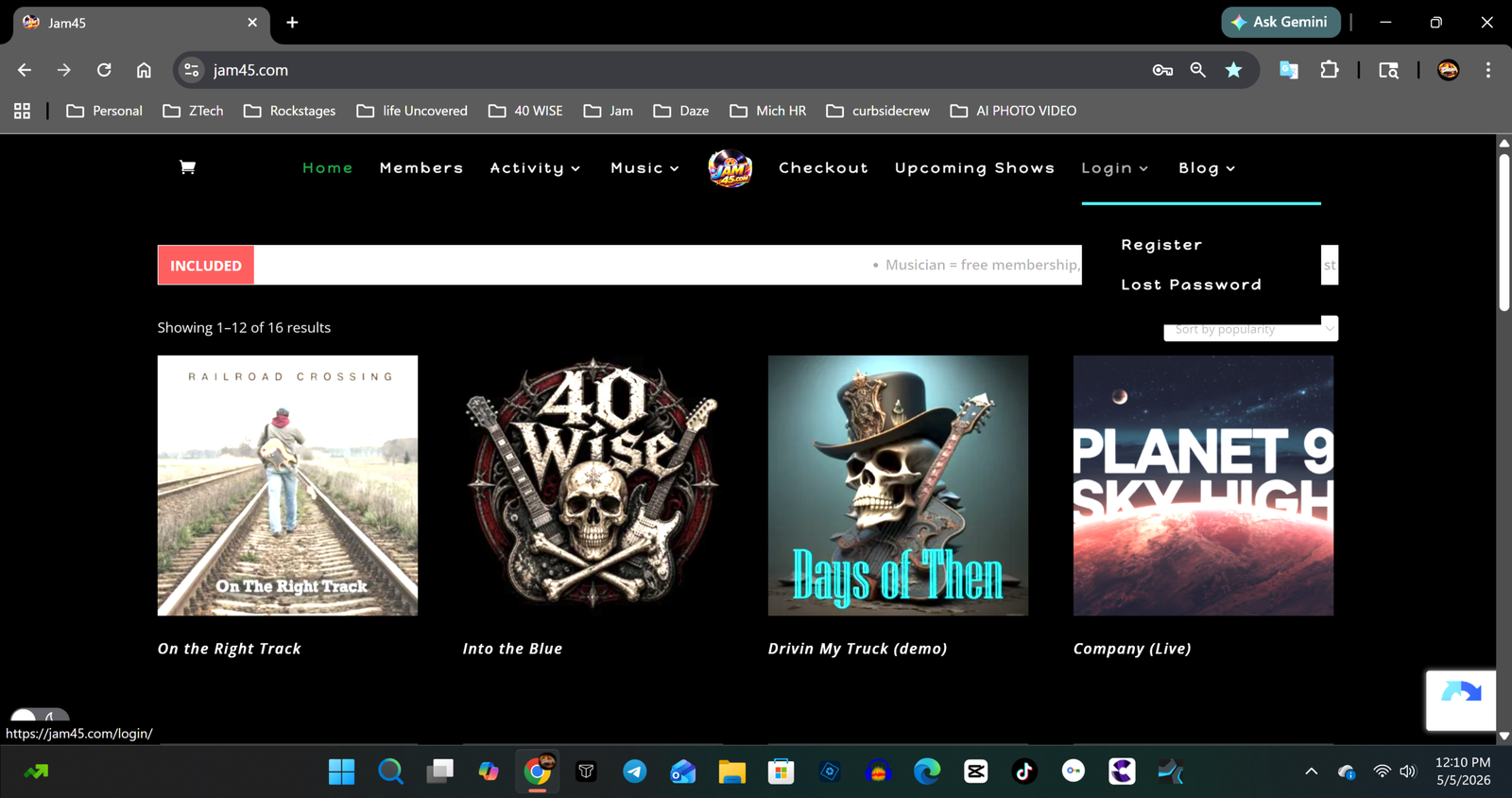
Step 1 Click on register
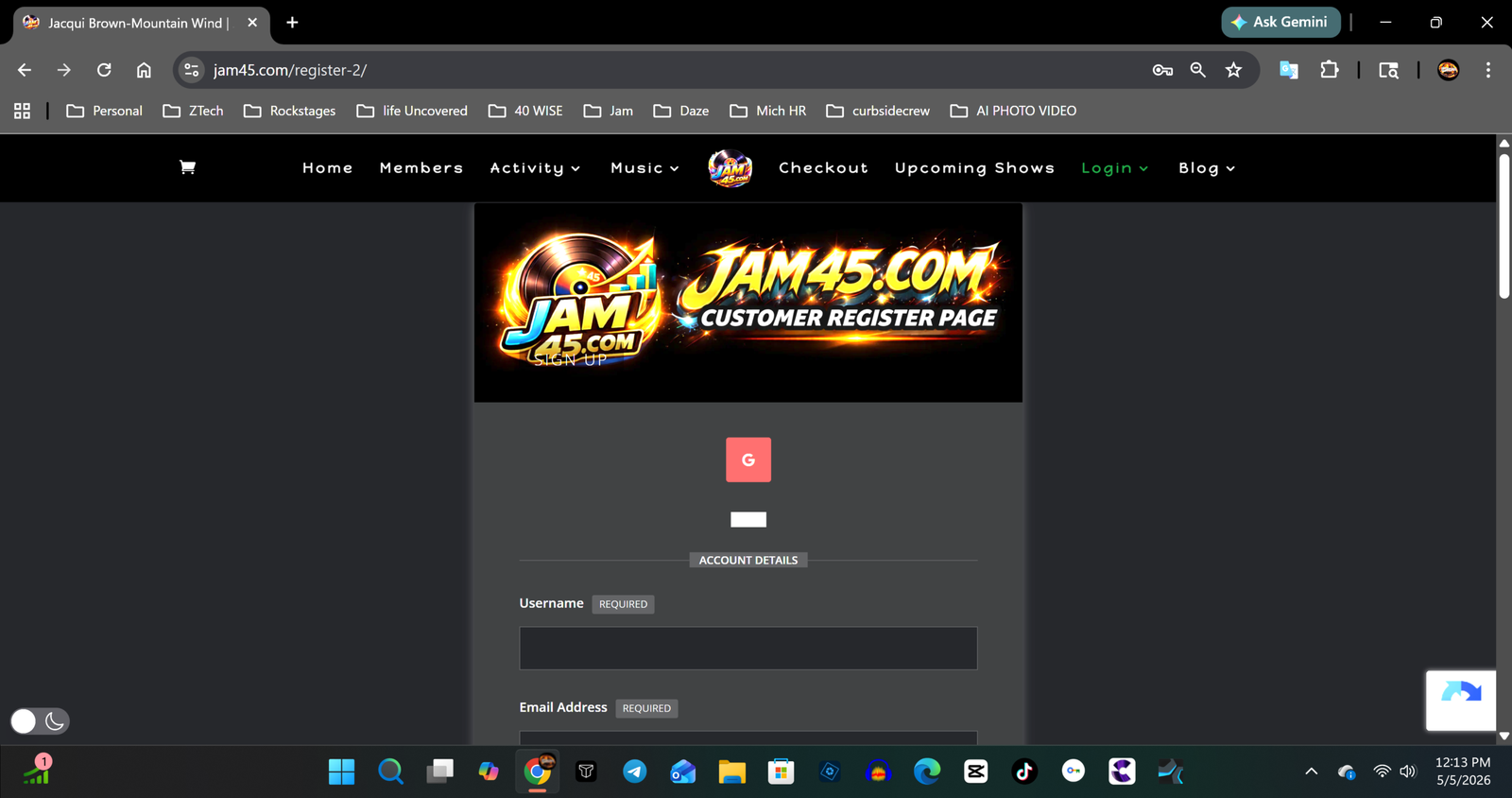
Step 2, fill out all the pertinent information. Note: if you are signing up with a Gmail account, after successful activation you may need to click on lost password.
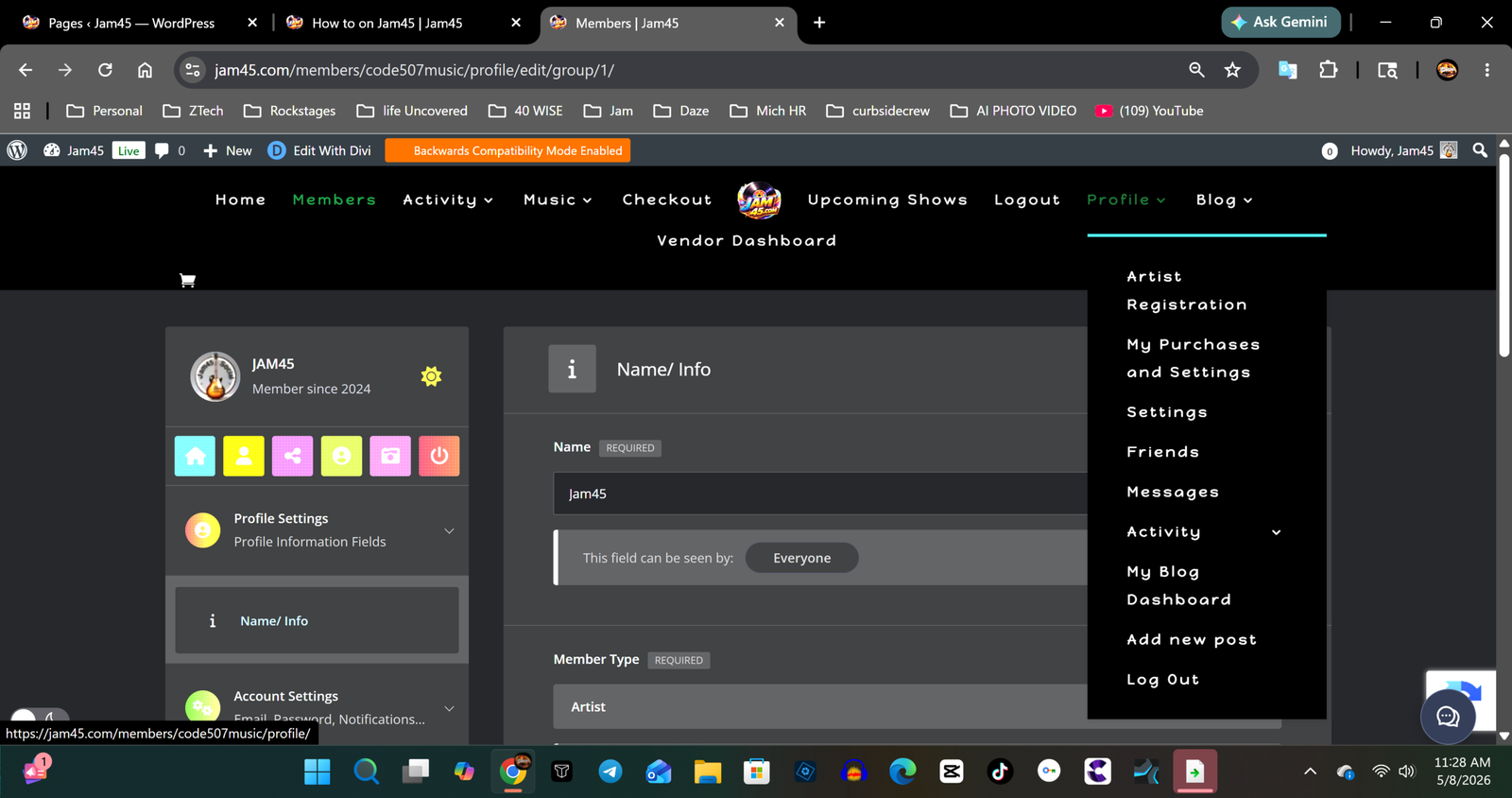
Click on profile and directly under your artist name on the left side, you can add your profile and cover photo. After all that is done Click on Artist Registration in the menu on the right.
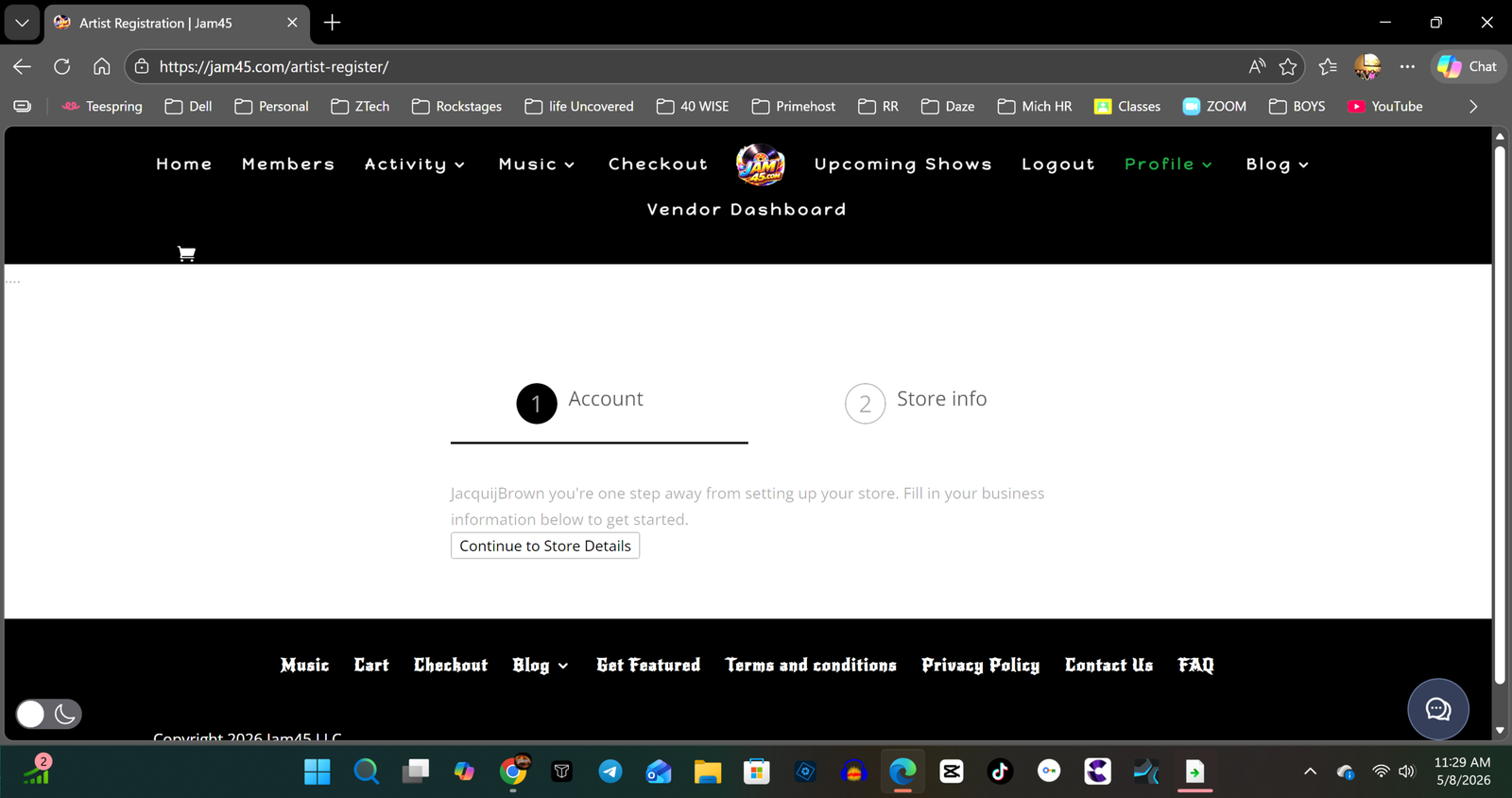
Step 4 After clicking on artist registration you will see this page, click on Continue to store details
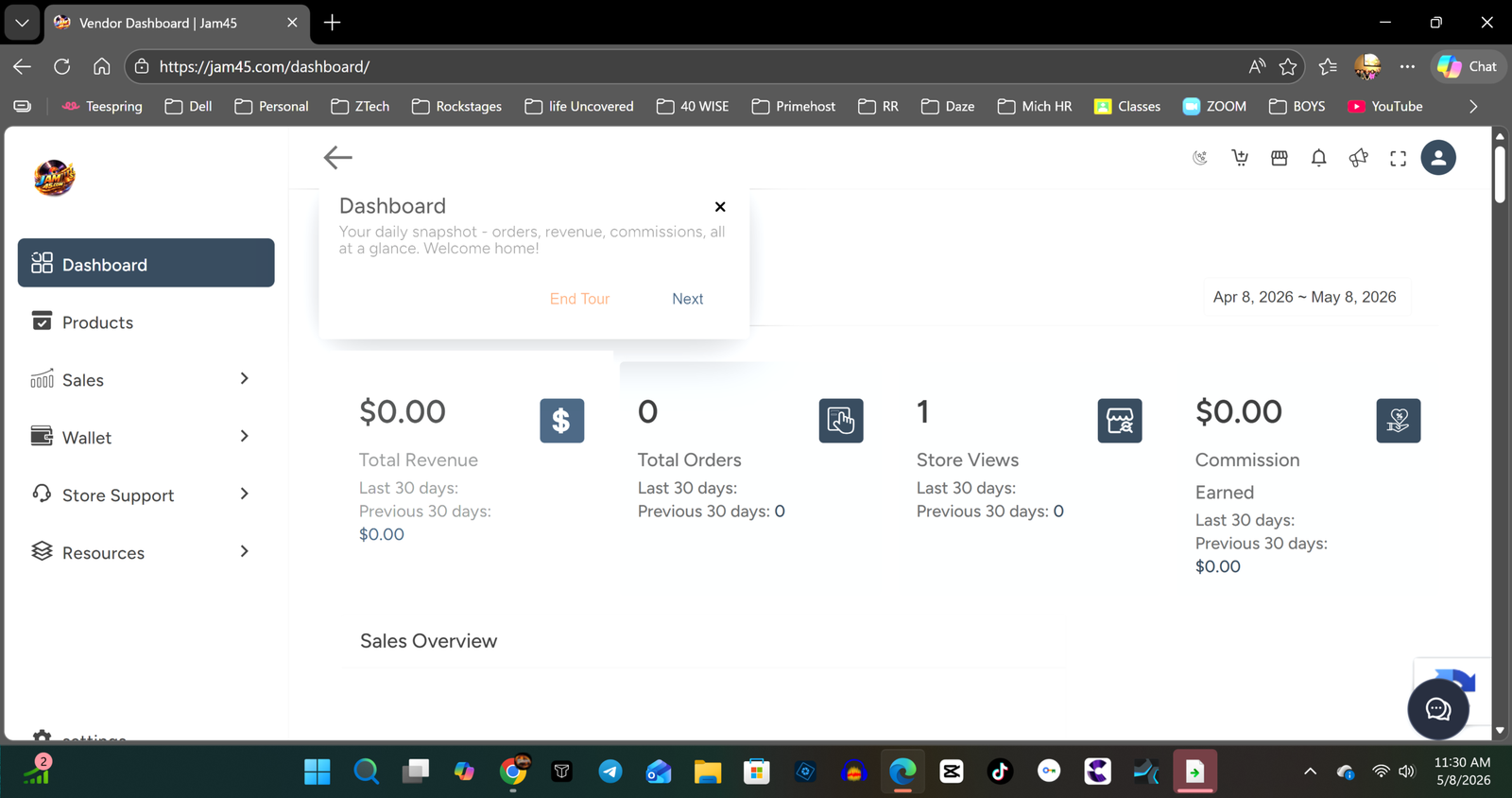
Step 5. This is your Vendor Dashboard. You will get a quick tour of everything that is here. The next step is to add products. Last but not least you NEED to add your stripe details to get paid on your sales!
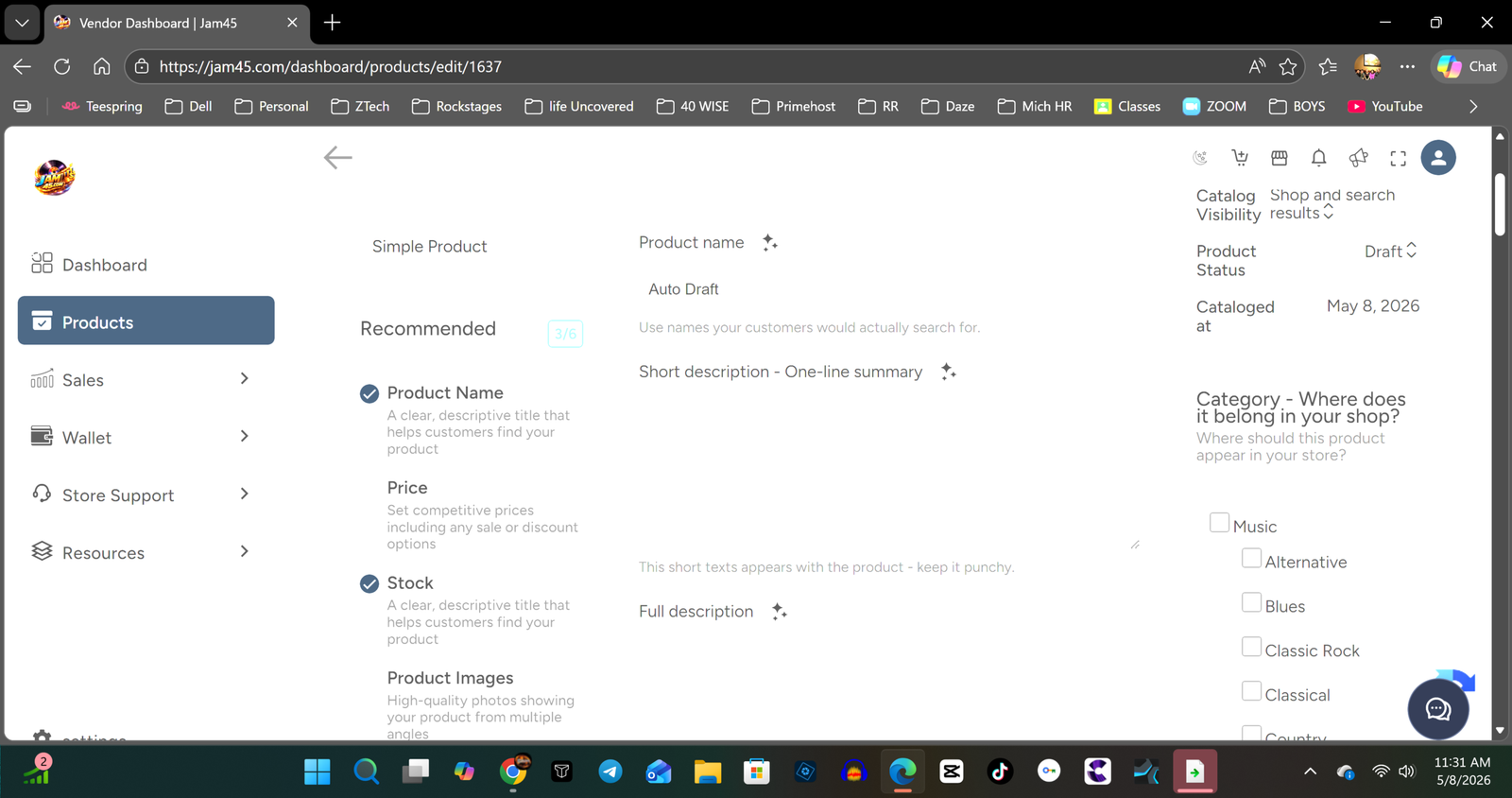
Step 6 click add product and here you are. Add all info including, what music category and don't forget to PUBLISH your song, you can do that by changing "product status from draft to published" see next slide for more info on adding your download.
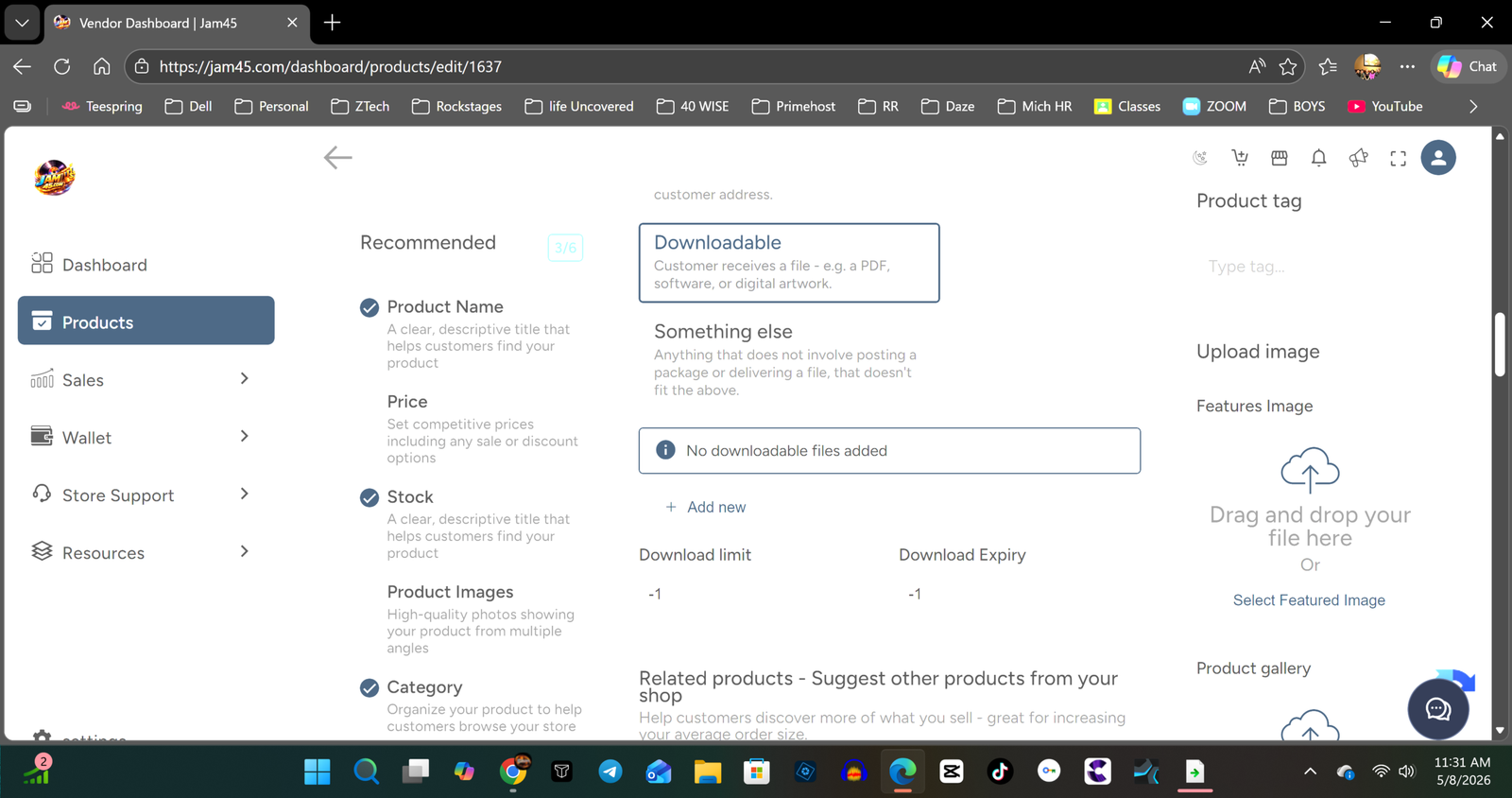
To upload your song you need to add your song files. you can add multiple to make it an album or a single song to sell each song. Be sure to click downloadable and upload all files. See next slide for stripe info.
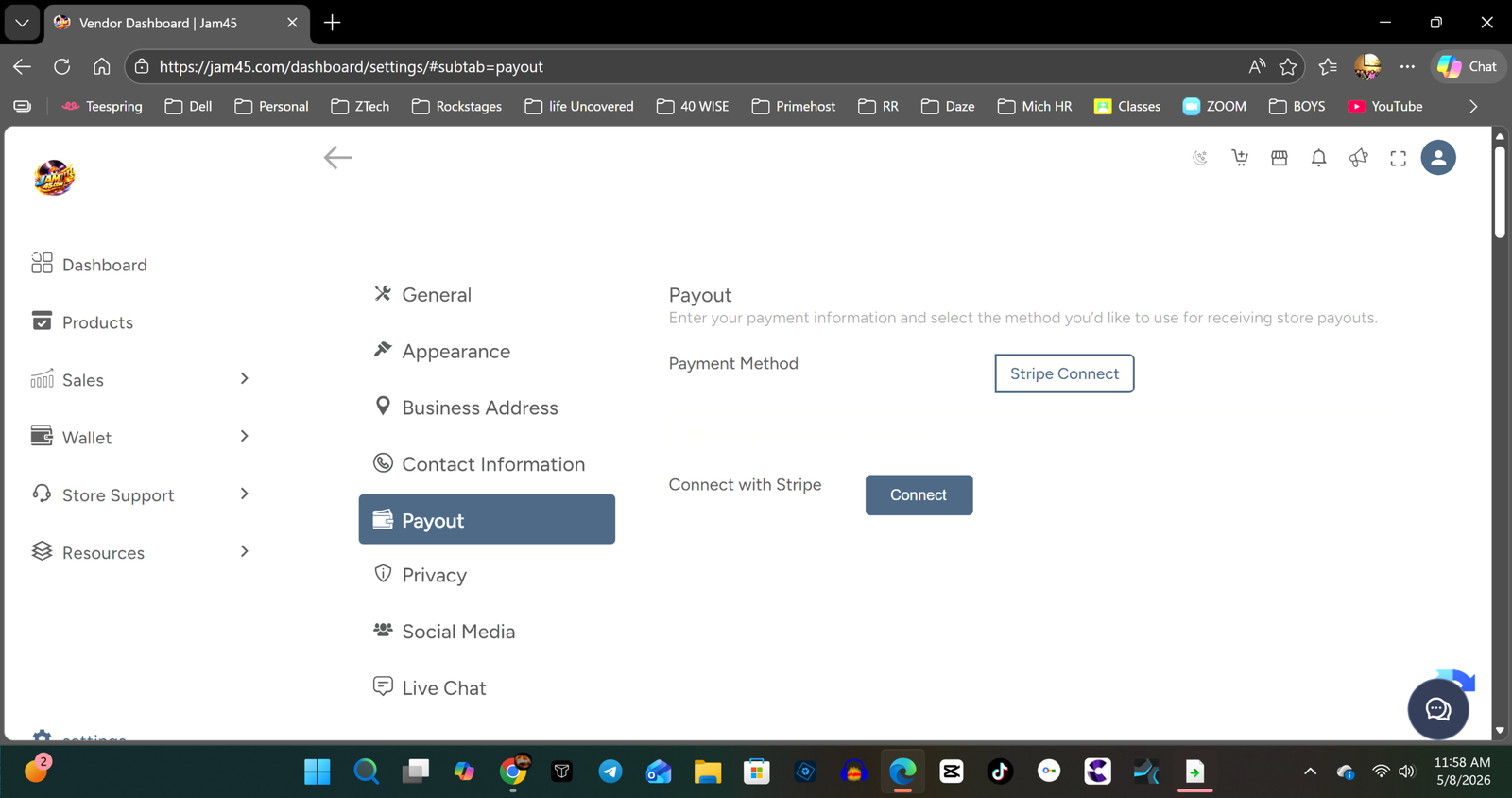
upper left corner click on the circle and account settings will come up. click on payout and then see where it says connect with stripe? click connect and finish your setup. Once you are done You are finished and able to get paid. Enjoy unlimited products and a profile page you can share anywhere. You can also add your upcoming shows. If you need more help CONTACT US. Thank you and happy selling. Let's rock
Artist Registration
You will need to register as an artist. You will see the link "Artist Registration" under the "Profile" tab after regstration.
Upload Content for Sale
Upload all your songs, art, everything and anything digital you want to sell.
Connect Stripe
You need to connect your stripe account. If you don't have one you need to sign up for an account to get paid!